Tutorial: Satellite Sensor & Software Malfunctions
This tutorial demonstrates realistic satellite malfunction effects through hands-on examples. Each tutorial recreates documented remote sensing failures, from early mission degradation to the famous Landsat 7 SLC-Off failure and extreme glitch art aesthetics.
Prerequisites
- sevenrad-stills installed and configured (Installation Guide)
- Basic familiarity with YAML pipeline system (YAML Pipeline System)
Tutorial Overview
| Tutorial | Operations Used | Simulates | Difficulty |
|---|---|---|---|
| 01-Landsat 7 SLC-Off | slc_off | May 31, 2003 Scan Line Corrector failure | Beginner |
| 02-Early Mission | salt_pepper, corduroy | Years 1-3 baseline degradation | Beginner |
| 03-Late Mission | salt_pepper, corduroy, buffer_corruption, compression_artifact | Years 15+ accumulated failures | Intermediate |
| 04-Glitch Art | All 6 operations | Extreme artistic aesthetics | Advanced |
Common Video Source
All tutorials use the same video segment:
1
2
3
4
5
6
7
source:
  youtube_url: "https://www.youtube.com/watch?v=MzJaP-7N9I0"

segment:
  start: 192.0    # 3 minutes 12 seconds (3m12s)
  end: 195.0      # 3 minutes 15 seconds (3m15s)
  interval: 0.0667  # 15 frames per second = 45 total frames
Why these settings?
- 3 seconds: Sufficient variety to show effects
- 15 fps: Good temporal resolution
- 45 frames: Enough to see frame-to-frame patterns
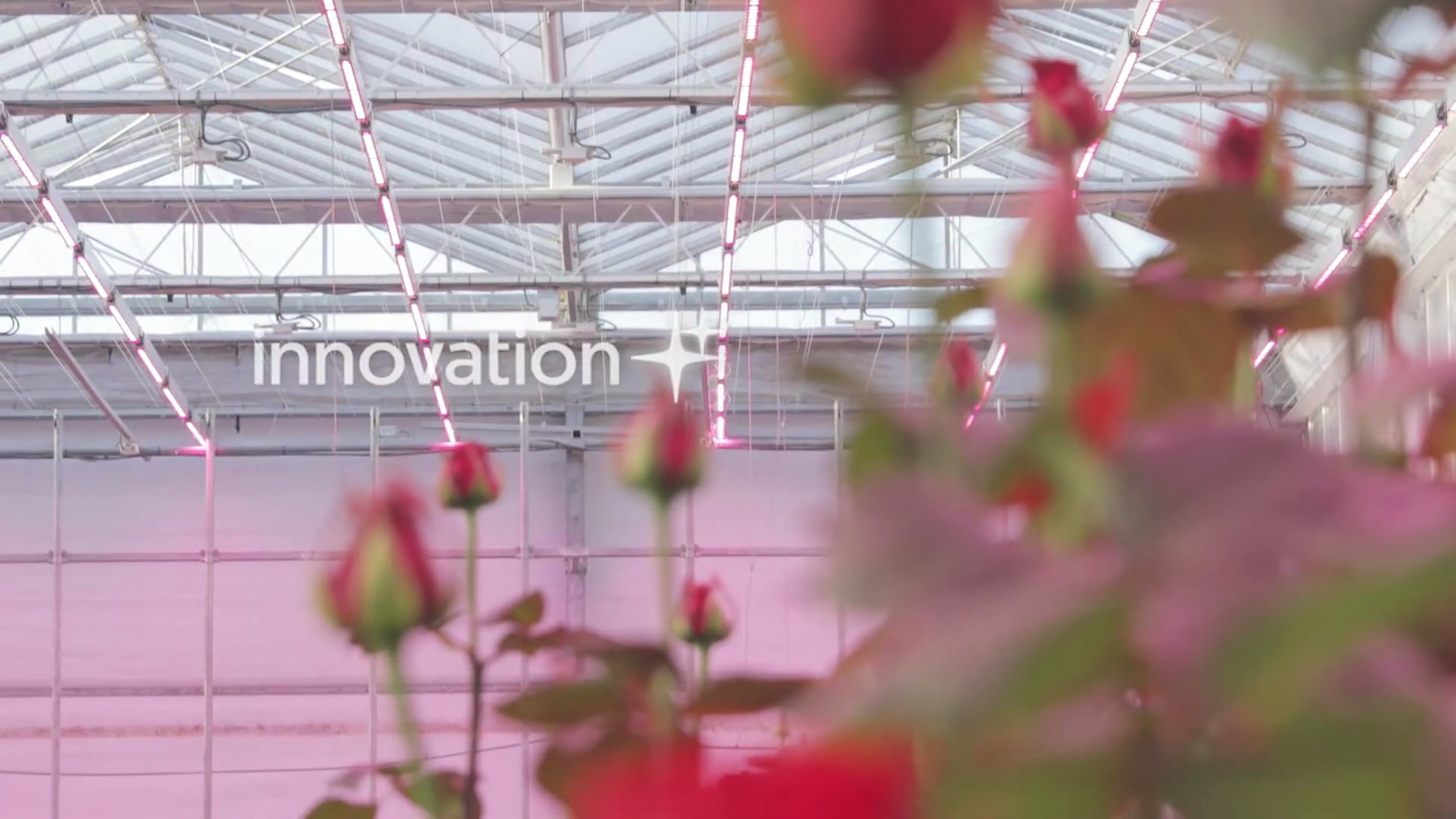
- Video content: Growing roses scene provides diverse colors and textures
Original Frame (frame 15, before any operations):
Tutorial 1: Landsat 7 SLC-Off Simulation
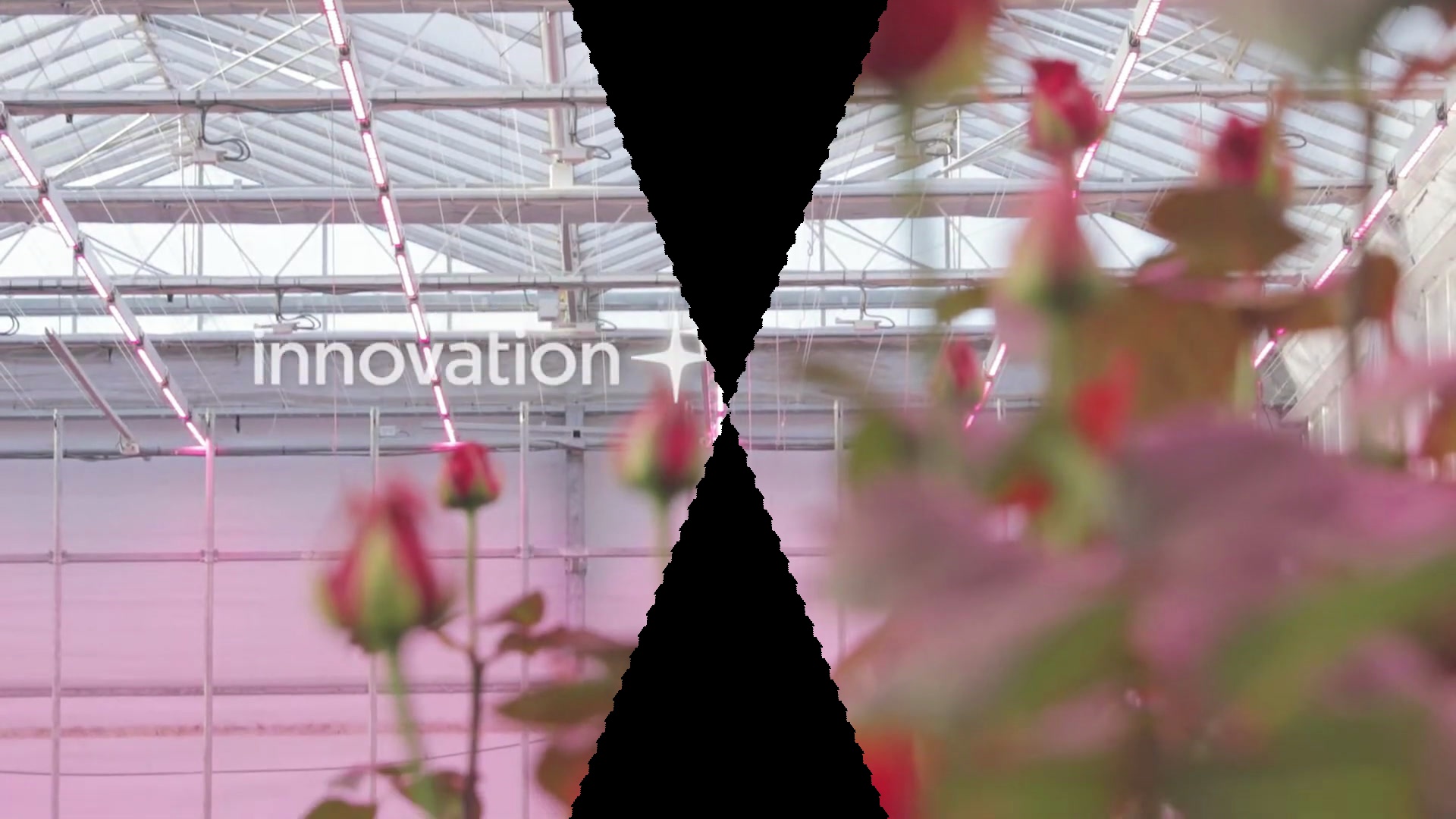
Goal: Accurately recreate the iconic Landsat 7 Enhanced Thematic Mapper Plus (ETM+) Scan Line Corrector failure that occurred on May 31, 2003.
Real-world context: This famous mechanical failure affected all Landsat 7 data from 2003 onwards, creating characteristic diagonal wedge-shaped gaps in a zig-zag pattern, widening from center to edges (~22% data loss at scene edges).
Running the Tutorial
The tutorial YAML is located at:
1
docs/tutorials/satellite-malfunctions/01-landsat7-slcoff.yaml
Run:
1
sevenrad pipeline docs/tutorials/satellite-malfunctions/01-landsat7-slcoff.yaml
Expected Results
Output: tutorials/satellite-malfunctions/01-landsat7-slcoff/final/ (45 frames)
Visual Characteristics:
- Diagonal wedge-shaped gaps in zig-zag pattern
- Gaps alternate direction (left/right) on each scan line
- No gaps at center (nadir point), maximum at top/bottom edges
- Black-filled gaps showing missing data
- Diagonal offset simulating uncompensated forward satellite motion
Parameter Explanation
1
2
3
gap_width: 0.22    # Historical 22% maximum gap at edges
scan_period: 14    # Scan line spacing (ETM+ geometry)
fill_mode: "black" # Show missing data as black
gap_width: 0.22- Matches historical Landsat 7 maximum gap (22% of scene width)scan_period: 14- Approximates ETM+ scan line spacingfill_mode: "black"- Visualizes missing data regions
Historical Accuracy
This simulation matches the real Landsat 7 SLC-Off geometry:
- Scan Line Corrector mirror mechanism failed
- Forward spacecraft motion no longer compensated
- Creates diagonal gaps with alternating directions (zig-zag)
- Gap width proportional to distance from nadir (center)
- Diagonal offset of 0.3 pixels/row creates shallow angle
- Gaps span multiple rows matching scan_period duration
Timeline:
- May 31, 2003: SLC failure occurred
- 2003-2024: 21+ years of operation with this artifact
- Impact: 14% average data loss, 22% maximum at edges
What You’ll Learn
- How mechanical failures create geometric artifacts
- Understanding diagonal wedge-shaped gap patterns
- Historical satellite mission failures
- Scientific accuracy in simulation parameters
Tutorial 2: Early Mission Degradation
Goal: Simulate a satellite in years 1-3 of operation with minimal degradation - baseline cosmic ray hits and slight calibration drift.
Real-world context: New satellites in Low Earth Orbit experience baseline cosmic ray flux and minor detector calibration variations from manufacturing differences.
Running the Tutorial
The tutorial YAML is located at:
1
docs/tutorials/satellite-malfunctions/02-early-mission.yaml
Run:
1
sevenrad pipeline docs/tutorials/satellite-malfunctions/02-early-mission.yaml
Expected Results
Output:
- Final:
tutorials/satellite-malfunctions/02-early-mission/final/(45 frames) - Intermediate:
tutorials/satellite-malfunctions/02-early-mission/intermediate/(step-by-step)
Visual Characteristics:
- Very sparse random white/black pixels (cosmic rays)
- Subtle vertical lines barely visible (calibration drift)
- Overall high image quality typical of new satellite
Progressive Steps:
Step 1: Cosmic Ray Hits Only
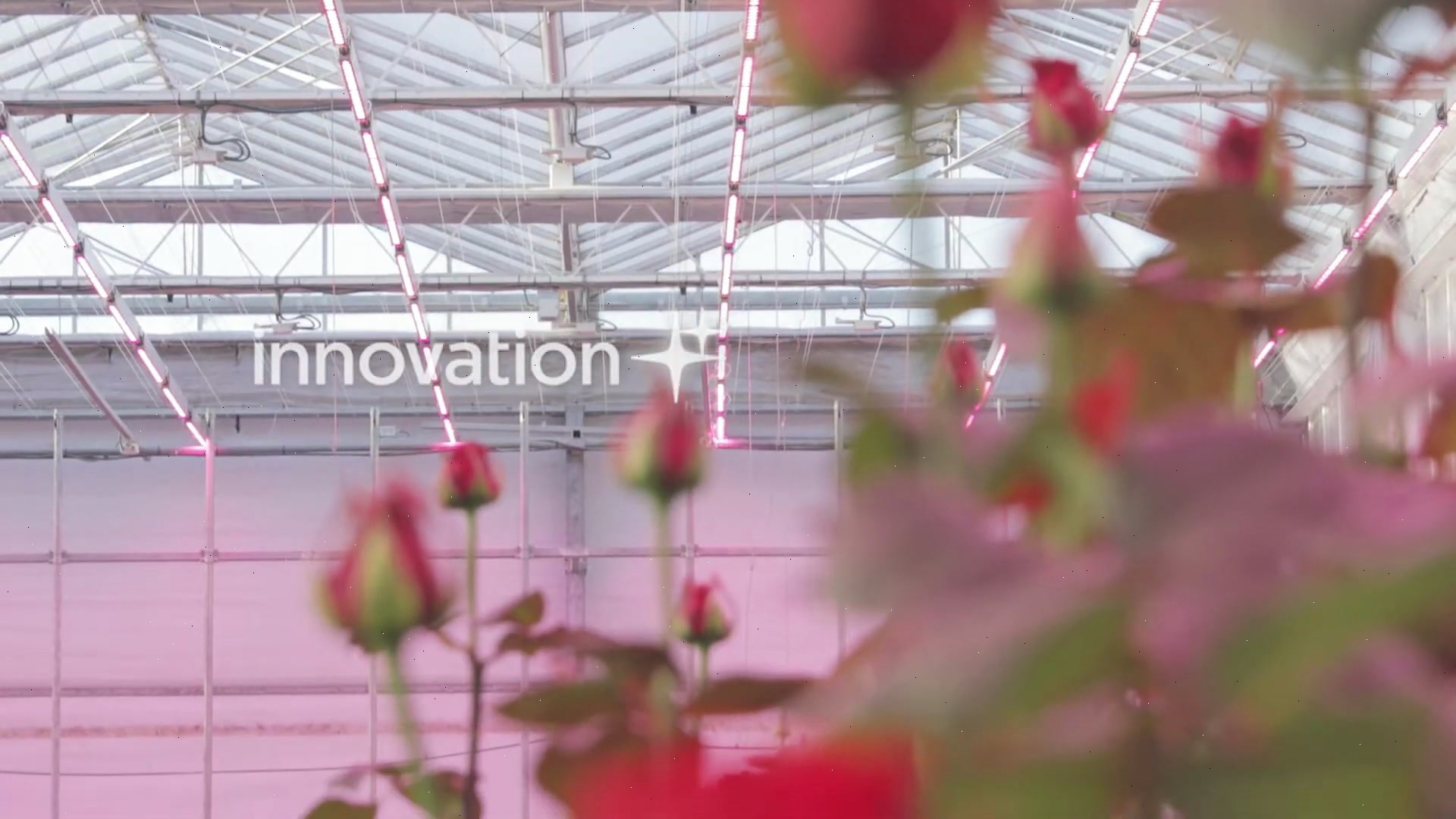
Sparse white/black pixels from cosmic ray impacts on detector (0.01% of pixels affected).
Step 2: Final Result (Cosmic Rays + Detector Drift)
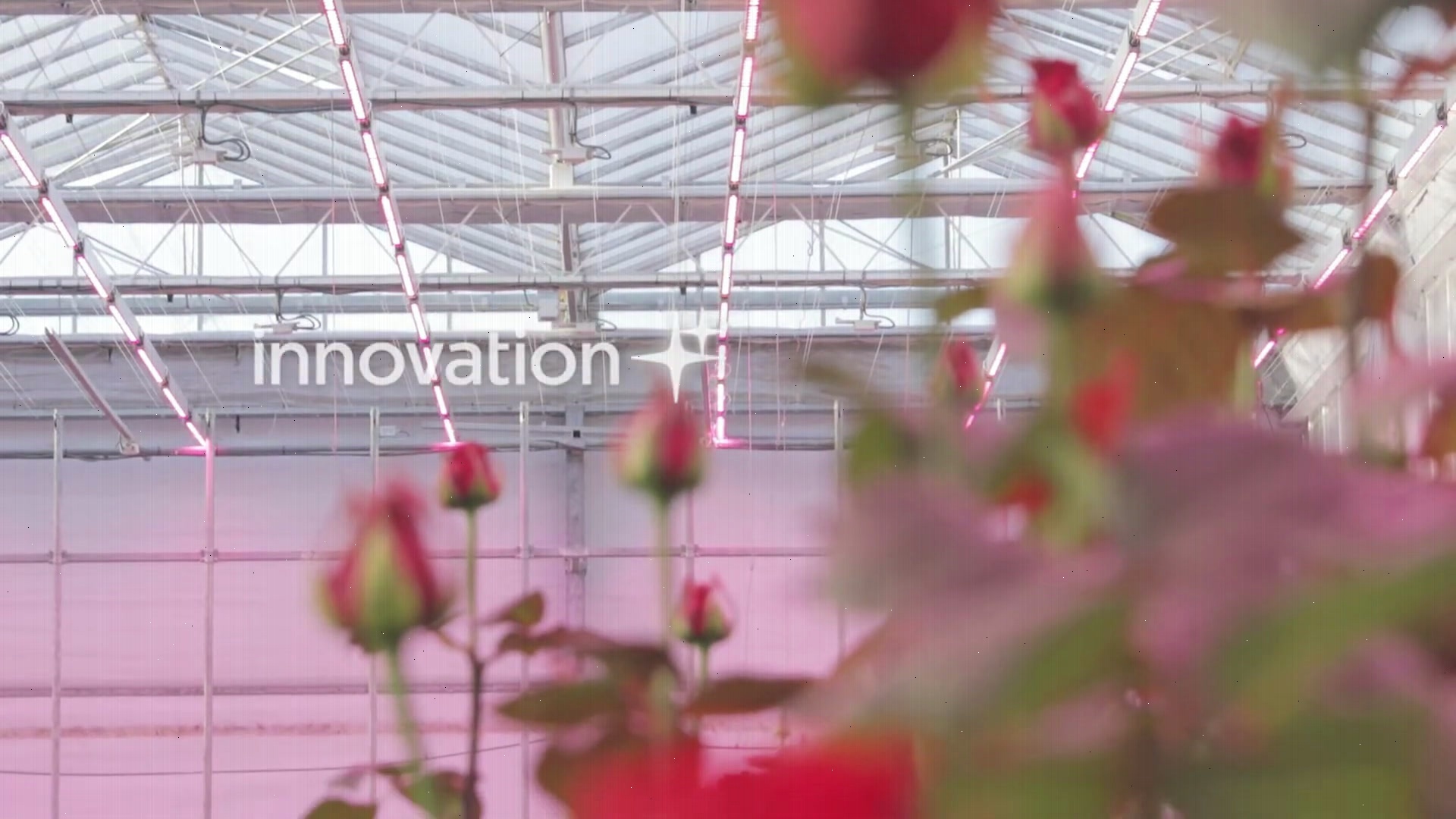
Subtle vertical striping added from detector calibration variations (30% of columns with ±2% brightness variation).
Parameter Explanation
1
2
3
4
5
6
7
8
9
10
11
12
# Step 1: Cosmic ray hits
salt_pepper:
  amount: 0.0001         # 0.01% of pixels (baseline LEO rate)
  salt_vs_pepper: 0.5    # Equal white/black probability
  seed: 42

# Step 2: Detector calibration drift
corduroy:
  strength: 0.1          # Subtle ±2% brightness variation
  orientation: "vertical" # Push-broom scanner
  density: 0.3           # 30% of detector elements
  seed: 100
Scientific Context
Early mission parameters based on:
- Landsat 8/9 OLI performance (years 0-3)
- Terra/Aqua MODIS baseline noise
- Sentinel-2 MSI early mission data quality
Orbital Environment:
- Low Earth Orbit (600-800 km altitude)
- Moderate cosmic ray flux
- Minimal radiation damage accumulation
- Calibration coefficients still accurate
What You’ll Learn
- Baseline satellite image quality
- Combining sensor-level effects
- Realistic early-mission parameters
- Using seeds for reproducibility
Tutorial 3: Late Mission Degradation
Goal: Simulate a satellite in years 15+ of operation with accumulated radiation damage, calibration drift, and occasional transmission errors.
Real-world context: Long-duration missions accumulate significant degradation: detector damage, severe calibration drift, memory upsets, and encoder stress.
Running the Tutorial
The tutorial YAML is located at:
1
docs/tutorials/satellite-malfunctions/03-late-mission.yaml
Run:
1
sevenrad pipeline docs/tutorials/satellite-malfunctions/03-late-mission.yaml
Expected Results
Output:
- Final:
tutorials/satellite-malfunctions/03-late-mission/final/(45 frames) - Intermediate: Shows progressive degradation through 4 steps
Visual Characteristics:
- Dense random white pixels (hot pixels from radiation)
- Strong vertical banding across entire image
- Rectangular “glitch blocks” with bitwise corruption
- Blocky JPEG artifacts (8x8 DCT blocks) in random regions
- Combined realistic aging satellite appearance
Progressive Steps:
Step 1: Radiation Damage (Salt & Pepper)
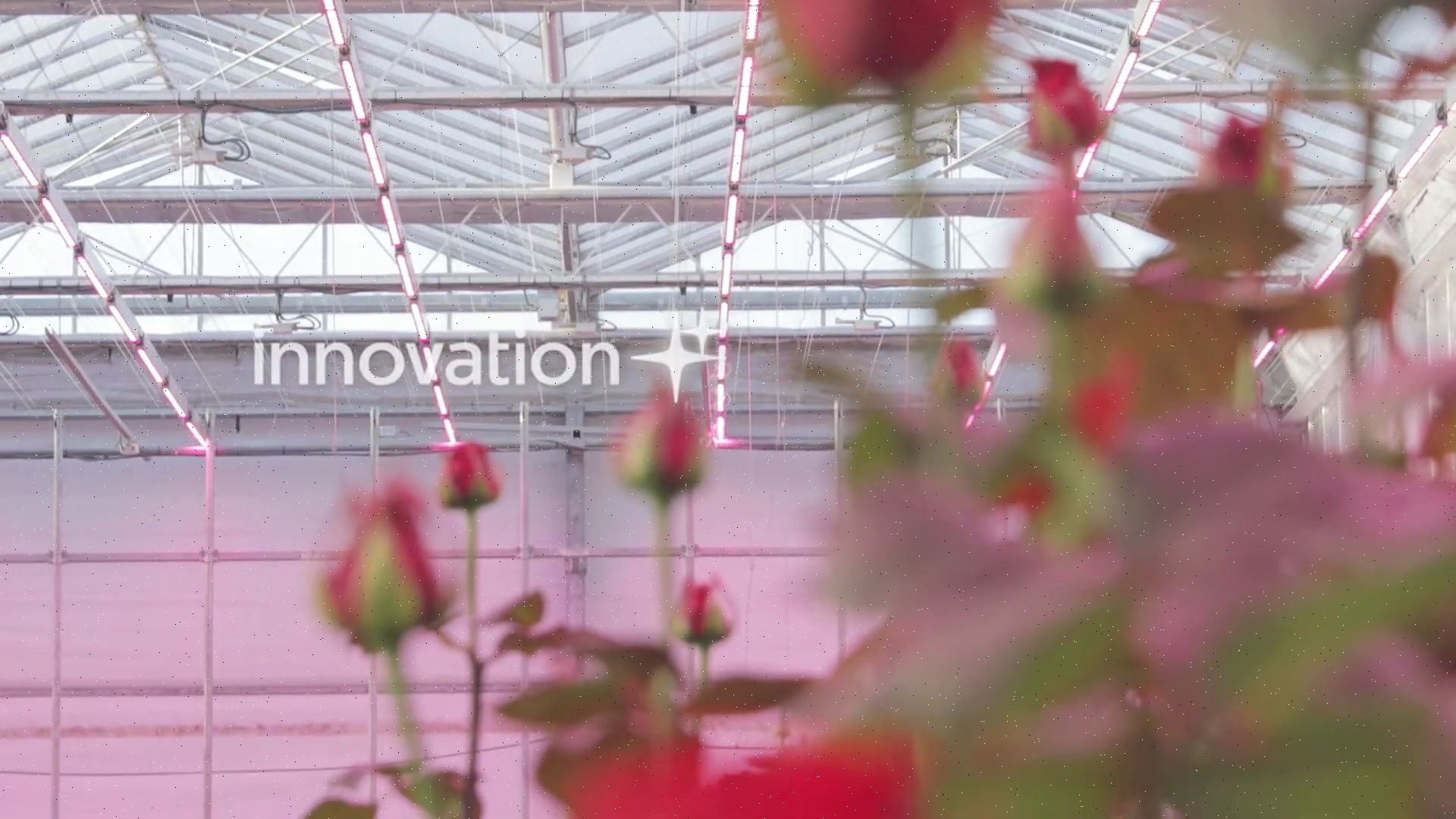
Dense white/black pixels from 15+ years of accumulated cosmic ray damage (0.2% of pixels affected, biased toward “salt” hot pixels).
Step 2: + Calibration Drift (Corduroy)
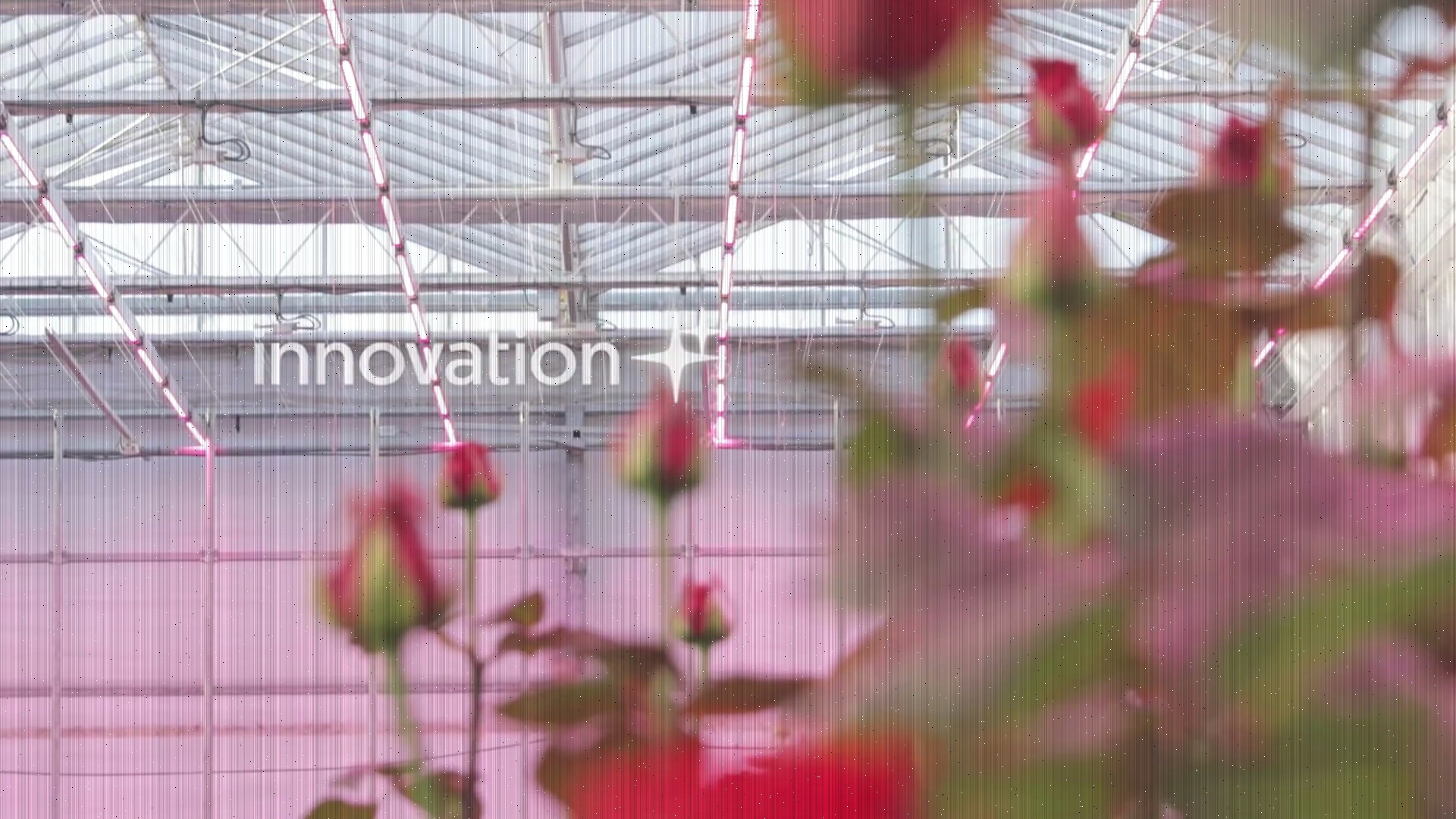
Strong vertical banding added from severe detector calibration drift (60% of columns with ±14% brightness variation).
Step 3: + Memory Corruption (Buffer Corruption)
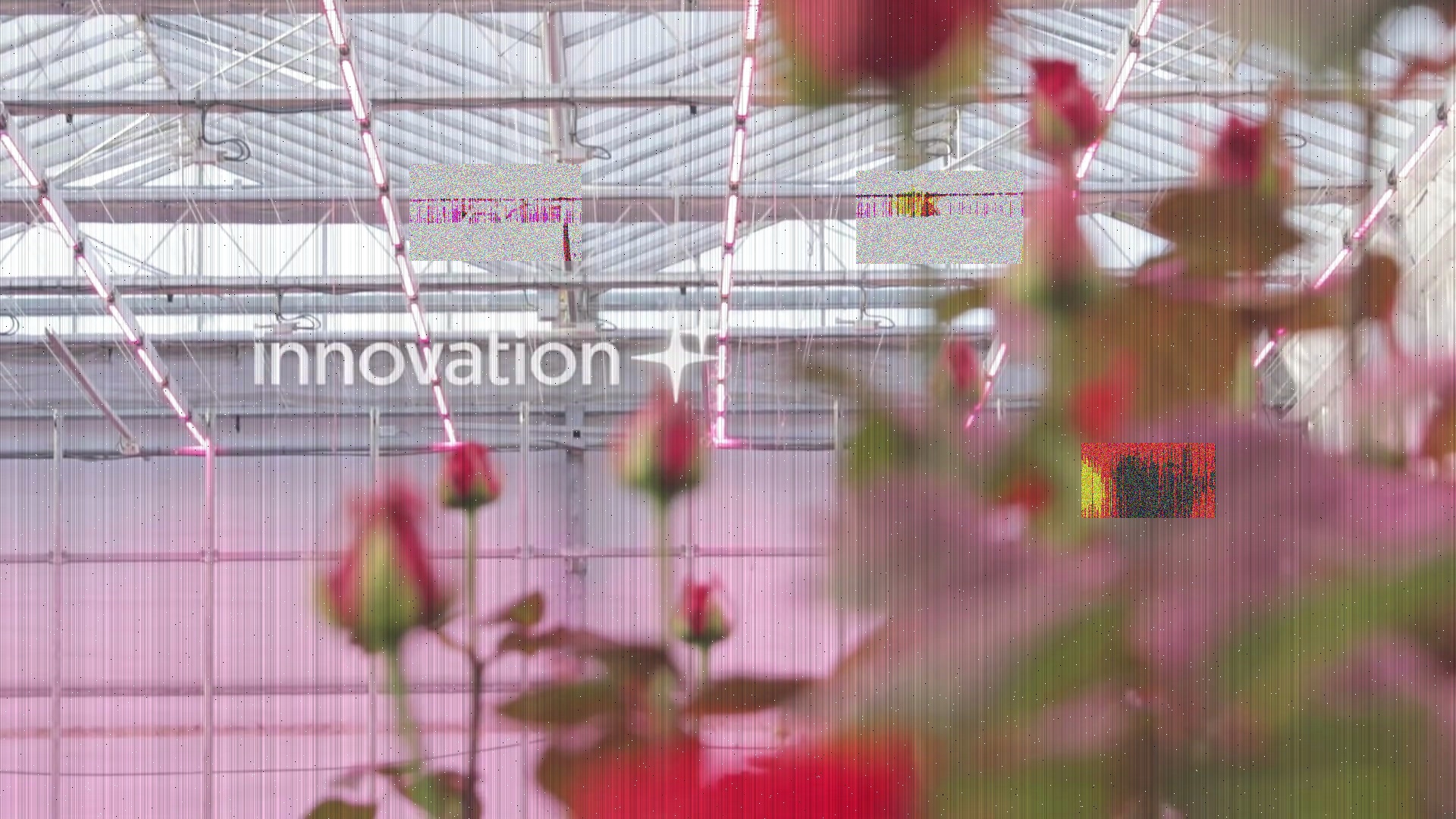
Rectangular “glitch blocks” with XOR bitwise corruption from cosmic ray hits on memory chips (3 corrupted tiles).
Step 4: Final Result (+ Encoder Stress)
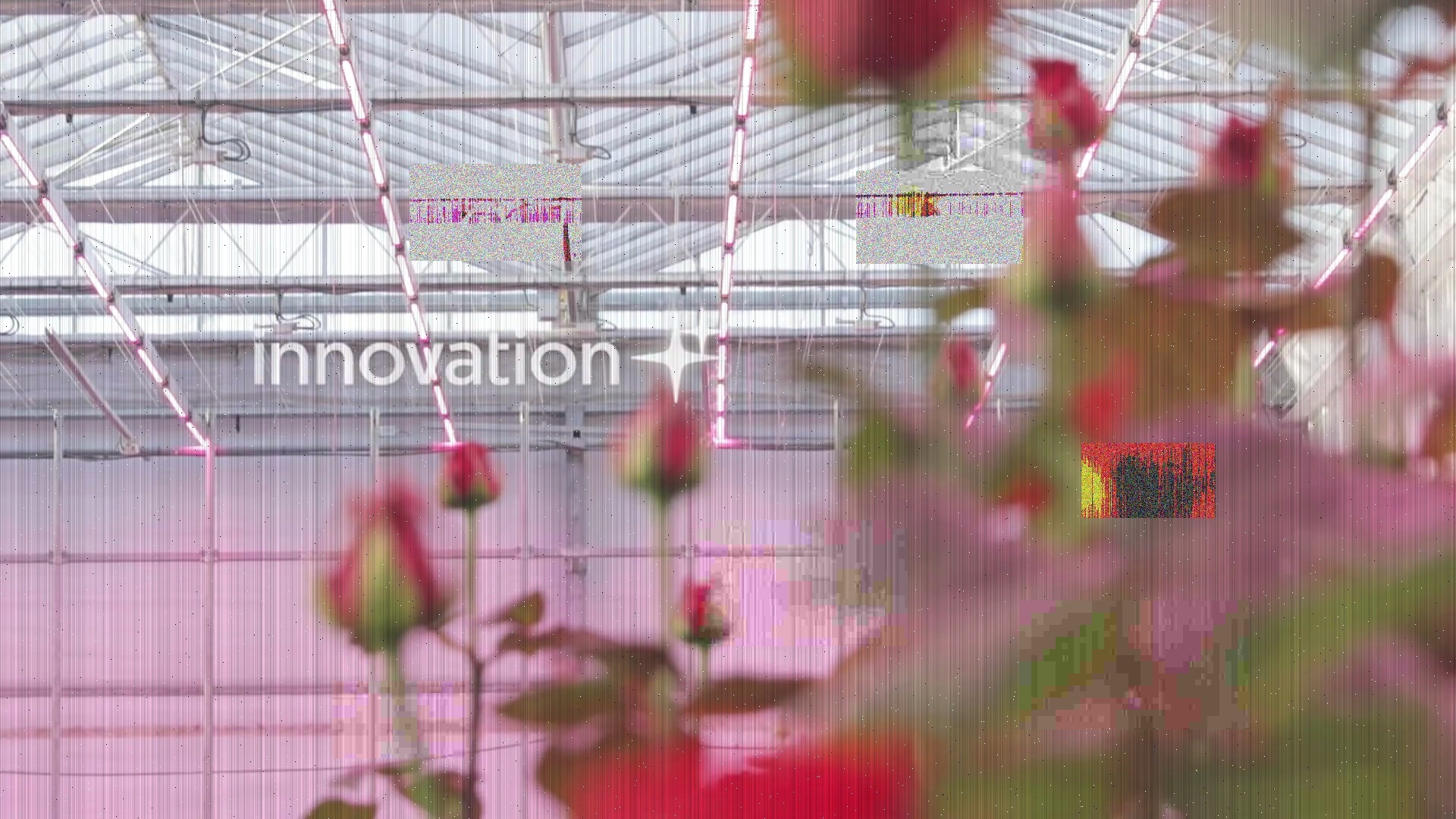
Severe JPEG compression artifacts added from aging on-board encoder hardware (5 tiles at quality 8).
Operations Applied
1
2
3
4
1. radiation_damage (salt_pepper)     # 0.2% pixels affected
2. calibration_drift (corduroy)       # ±14% brightness variation
3. memory_upsets (buffer_corruption)  # 3 corrupted blocks (XOR)
4. encoder_stress (compression_artifact) # 5 tiles at quality 8
Aging Mechanisms
- Radiation damage: 15+ years of cosmic ray hits create permanent hot pixels
- Calibration drift: Thermal cycling and radiation exposure
- Memory upsets: Normal cosmic ray SEU rate in buffers
- Encoder stress: Hardware aging and thermal issues
Scientific Context
Late mission parameters based on:
- Landsat 5 final years (28+ years operational)
- Terra MODIS degradation (20+ years)
- NOAA AVHRR long-duration missions
What You’ll Learn
- How failures compound over time
- Multiple simultaneous malfunction types
- Realistic operation ordering
- Creating complex degradation aesthetics
Tutorial 4: Satellite Glitch Art
Goal: Create extreme digital aesthetics using exaggerated satellite malfunction parameters for artistic expression and visual experimentation.
Real-world context: While not scientifically realistic, this tutorial uses all 6 satellite operations with extreme parameters to create intentional glitch art aesthetics.
Running the Tutorial
The tutorial YAML is located at:
1
docs/tutorials/satellite-malfunctions/04-glitch-art.yaml
Run:
1
sevenrad pipeline docs/tutorials/satellite-malfunctions/04-glitch-art.yaml
Performance Note: This pipeline is computationally expensive (20 JPEG encode/decode cycles per frame). Expected runtime: 2-5 minutes.
Expected Results
Output:
- Final:
tutorials/satellite-malfunctions/04-glitch-art/final/(45 frames) - Intermediate: All 6 steps preserved showing progressive destruction
Visual Characteristics:
- Massive white diagonal gaps creating abstract geometry
- Wrong color channels in random blocks (BGR swaps)
- Shuffled RGB channels creating surreal colors
- Heavy horizontal banding across entire image
- Dense white/black pixel noise creating texture
- Severe 8x8 JPEG blocking in random regions
- Combined: Total digital destruction
Progressive Steps:
Step 1: Massive SLC-Off Gaps

Extreme 50% diagonal gaps with white fill creating dramatic geometric abstraction.
Step 3: + Band Swaps + Buffer Corruption

Color chaos from 15 BGR-swapped tiles plus 10 channel-shuffled blocks creating surreal palette.
Step 5: + Corduroy + Salt & Pepper
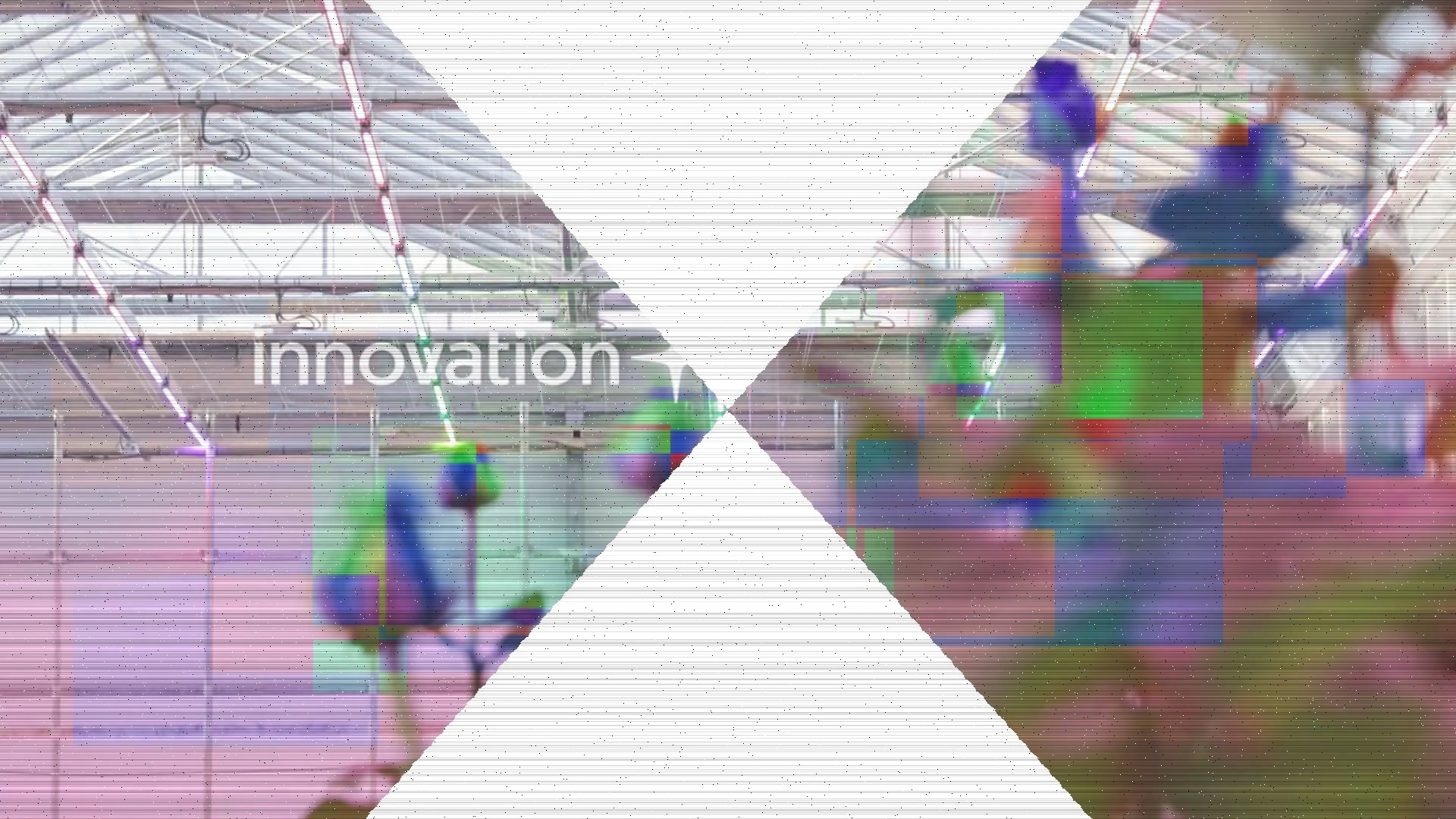
Heavy horizontal banding (±20%) and dense noise texture (0.5% pixels) creating digital static effect.
Step 6: Final Result (+ Compression Destruction)
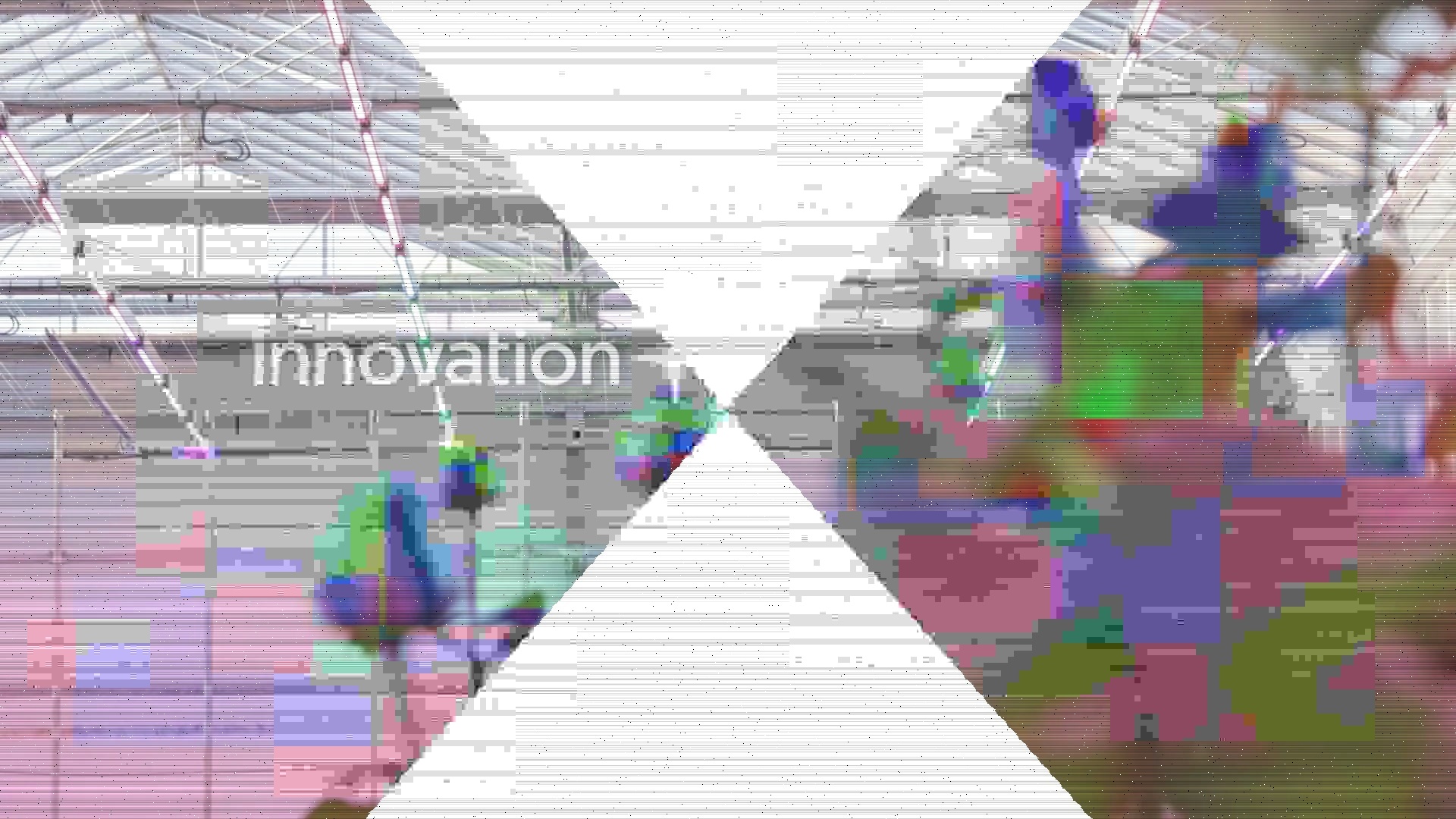
Severe JPEG artifacts at quality 1 applied to 20 tiles, creating total digital destruction with 8x8 DCT blocking.
Operations Applied
1
2
3
4
5
6
1. massive_gaps (slc_off)              # 50% gaps, white fill
2. color_chaos (band_swap)             # 15 BGR-swapped tiles
3. buffer_mayhem (buffer_corruption)   # 10 channel-shuffled blocks
4. extreme_banding (corduroy)          # ±20% horizontal stripes
5. static_texture (salt_pepper)        # 0.5% dense noise
6. compression_destruction (compression_artifact) # 20 tiles, quality 1
Artistic Intent
This tutorial prioritizes visual impact over scientific accuracy:
- Abstract geometric patterns (SLC-Off gaps)
- Color field disruptions (band swaps, buffer corruption)
- Digital texture (salt & pepper, compression)
- Rhythmic visual patterns (corduroy banding)
Aesthetic References
- Glitch art (Rosa Menkman, Phillip Stearns)
- Data moshing aesthetics
- Databending and circuit bending
- Digital decay and corruption aesthetics
- Satellite imagery as abstract art
What You’ll Learn
- Combining all 6 satellite operations
- Exaggerating parameters for artistic effect
- Operation ordering for layered aesthetics
- Creating intentional digital destruction
Advanced Topics
Operation Ordering
Order matters when combining operations:
Realistic order (sensor → transmission → geometric):
1
2
3
4
5
6
7
steps:
  - operation: "salt_pepper"       # Sensor level
  - operation: "corduroy"          # Detector level
  - operation: "buffer_corruption" # Memory level
  - operation: "compression_artifact" # Encoding level
  - operation: "band_swap"         # Transmission level
  - operation: "slc_off"           # Geometric level
Artistic order (for specific aesthetics):
1
2
3
4
5
6
7
8
9
10
11
# SLC gaps THEN corruption (gaps have clean edges)
steps:
  - operation: "slc_off"
  - operation: "buffer_corruption"

# Corruption THEN SLC (corrupted data visible in gaps with mean fill)
steps:
  - operation: "buffer_corruption"
  - operation: "slc_off"
    params:
      fill_mode: "mean"  # Shows corrupted data in gaps
Seed Management
Consistent corruption across frames:
1
2
params:
  seed: 42  # Same pattern every frame
Frame-varying corruption:
1
2
3
4
# Don't specify seed - random each frame
params:
  tile_count: 5
  # No seed parameter
Parameter Tuning Guide
For subtle, realistic effects:
salt_pepper amount: 0.0001 - 0.001corduroy strength: 0.1 - 0.3buffer_corruption severity: 0.2 - 0.4compression_artifact quality: 15 - 20slc_off gap_width: 0.05 - 0.15
For dramatic, artistic effects:
salt_pepper amount: 0.005 - 0.02corduroy strength: 0.6 - 1.0buffer_corruption severity: 0.7 - 1.0compression_artifact quality: 1 - 5slc_off gap_width: 0.3 - 0.5
Troubleshooting
band_swap Fails on Grayscale Video
Problem: ValueError: Band swap requires RGB or RGBA image
Solution: Grayscale videos don’t have RGB channels to swap. Use buffer_corruption with xor or invert instead:
1
2
3
4
- operation: "buffer_corruption"
  params:
    corruption_type: "xor"  # Works on grayscale
    severity: 0.5
No Visible SLC Gaps
Problem: SLC gaps not appearing in output
Solutions:
- Check
gap_width- must be > 0.0 - Verify
scan_periodisn’t larger than image height - Try
fill_mode: "black"or"white"for more obvious gaps - Ensure diagonal pattern is visible (not just horizontal)
Operations Too Subtle
Problem: Can’t see malfunction effects
Solutions:
- Increase severity/strength/amount parameters
- Use lower quality values (compression_artifact: 1-5)
- Increase tile_count or density
- Check intermediate steps to see each operation in isolation
Color Corruption Not Happening
Problem: band_swap or buffer_corruption channel_shuffle has no effect
Solutions:
- Ensure image is RGB/RGBA (not grayscale)
- Increase tile_count for more coverage
- For channel_shuffle, ensure severity > 0.5 for visible changes
- Verify permutation parameter is specified (band_swap)
Next Steps
After completing these tutorials:
- Experiment with parameters - Adjust amounts, strengths, and qualities
- Create custom combinations - Mix operations in new ways
- Study real satellite data - Compare to actual Landsat, MODIS, or Sentinel imagery
- Apply to your projects - Use for glitch art, book illustrations, or research
- Read comprehensive docs:
- Satellite Operations Reference - Complete parameter specifications
- Technical Background - Real satellite failure modes
Questions or Issues?
- Check Satellite Operations Reference for parameter details
- Read Technical Background for scientific context
- Report issues on the project repository
Happy experimenting with satellite malfunction simulations!